
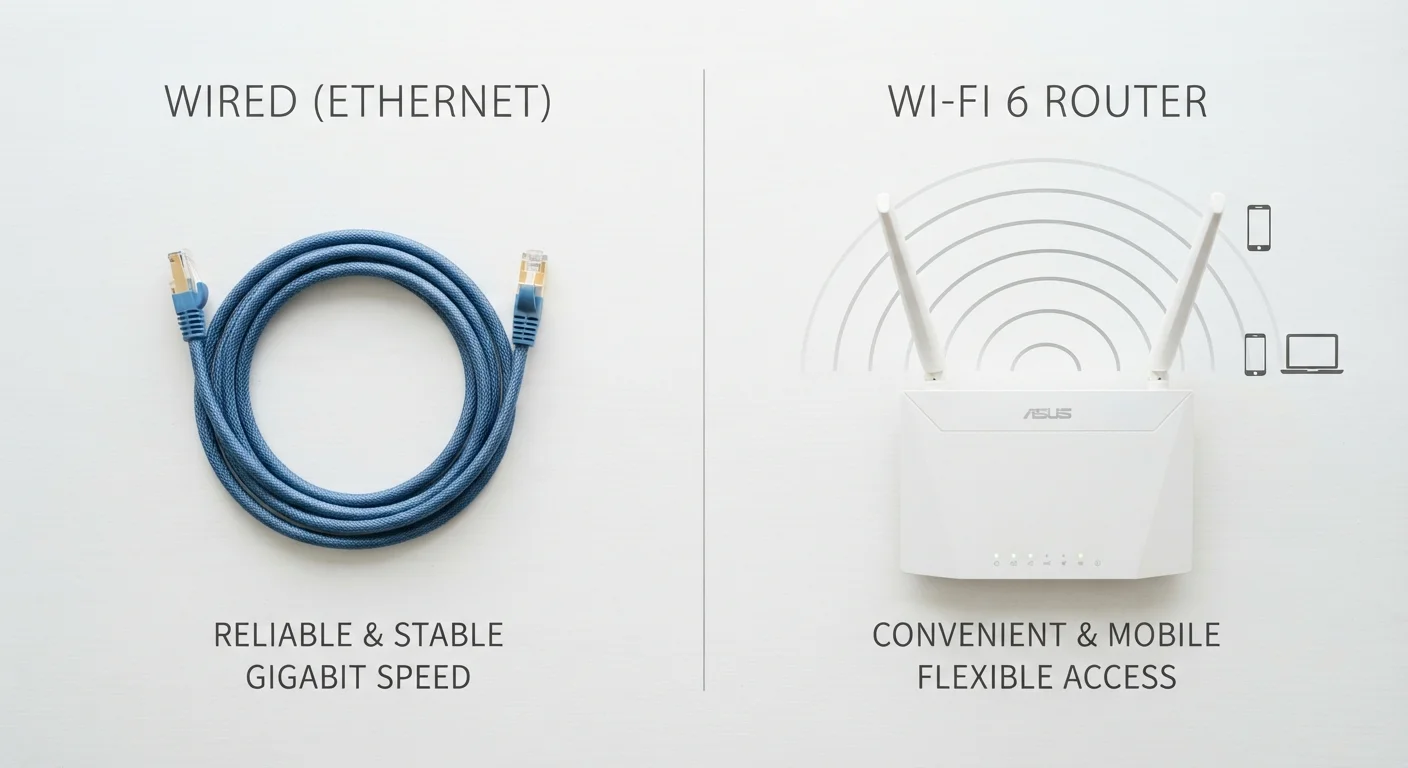
What actually separates Ethernet from Wi-Fi
Ethernet sends data through a physical cable: typically Cat5e or Cat6, both of which are inexpensive copper-wire standards rated for speeds up to 1 gigabit per second (Gbps) or higher. The cable creates a private, direct path between a device and the router, so the signal does not compete with other wireless traffic or degrade because of physical obstacles.
Wi-Fi sends data as radio waves. The router broadcasts a signal that devices receive through their wireless adapters. Convenience is genuine: no cables to route, no ports to worry about. The trade-off is that radio signals weaken with distance, pass through walls with varying success depending on building materials, and share a limited radio spectrum with neighboring networks and household appliances.
The practical gap between the two methods has narrowed. Wi-Fi 6 (the 802.11ax standard) handles congestion better than its predecessors by letting a router talk to multiple devices simultaneously rather than taking turns. On a clean signal in the same room as the router, a Wi-Fi 6 connection can approach or match the throughput of many home Ethernet setups. Distance and interference still erode that performance in ways Ethernet simply does not experience.
Speed and latency: where the numbers matter
| Criterion | Wired (Ethernet) | Wireless (Wi-Fi) |
|---|---|---|
| Typical home speed | Up to 1 Gbps (Cat6) | 50-900 Mbps (varies by standard) |
| Latency | 1-5 ms | 5-20+ ms |
| Connection stability | Very consistent | Variable; affected by interference |
| Device flexibility | Stationary devices only | Any device, anywhere in range |
| Setup complexity | Cable runs required | Plug-and-play router setup |
| Hardware lifespan | 10+ years (cable) | 3-5 years (router replacement cycle) |
| Upfront cost | Low cable cost; labor if installed | Router or mesh system purchase |
| Security exposure | Lower (physical access needed) | Higher (wireless signals are interceptable) |
Raw speed (measured in Mbps or Gbps) tells you how much data moves per second. Latency (measured in milliseconds) tells you how quickly the network responds to a request. For video calls, online gaming, and real-time applications, latency matters as much as speed.
Ethernet latency in a home network typically runs between 1 and 5 milliseconds. Wi-Fi latency on a well-configured 5 GHz network commonly runs between 5 and 20 milliseconds, though interference or congestion can push it higher. The difference is imperceptible when browsing a webpage; it is noticeable when gaming or on a conference call with several participants.
Households on internet plans below 100 Mbps will rarely notice a speed difference between Ethernet and Wi-Fi because the bottleneck is the plan itself, not the local connection. The gap becomes real at gigabit plan speeds, where Ethernet consistently delivers near-full throughput and Wi-Fi can fall short depending on router placement and interference.
Reliability and interference
Ethernet connections are deterministic: the signal either works or it does not, and dropouts are rare outside of hardware failure or a damaged cable. Wi-Fi connections are probabilistic: they work well most of the time but degrade under conditions the user may not fully control.
Common sources of Wi-Fi interference include microwave ovens operating on the 2.4 GHz band, neighboring networks broadcasting on the same channel, thick concrete or brick walls, and large metal appliances. The 5 GHz band used by modern routers is faster and less congested but has shorter range than 2.4 GHz. Wi-Fi 6E adds a 6 GHz band that is largely free of legacy device interference, though fewer devices currently support it.
For a stationary device that stays on a desk, a single Ethernet cable removes all of these variables. Setting up your home network from scratch covers how router placement and mesh systems can reduce, though not eliminate, wireless interference for the rest of the household.
Cost and installation realities
A Cat6 Ethernet cable costs roughly $0.10 to $0.20 per foot in bulk. Running cables inside walls requires a cable fish kit, wall plates, and time: a job many homeowners handle themselves, though any work near electrical wiring warrants care and awareness of local building codes. Professional installation adds labor cost but produces a clean, permanent result.
Wi-Fi hardware varies widely. A single router handles small apartments adequately. Larger homes with dead zones often need a mesh system, which uses multiple nodes to blanket the space with signal. Mesh systems add cost compared to a single router, and they still perform behind a wired backhaul (the connection between mesh nodes) when that backhaul is Ethernet rather than wireless.
The long-term cost picture favors Ethernet for devices that stay in one place. Cable installed once does not need replacing for the life of the home under normal conditions. Wi-Fi hardware, by contrast, gets replaced every few years as standards change. For devices that move, there is no practical wired alternative, so the cost comparison is moot.
Households streaming video on a smart TV or connected device can explore how connection type affects picture quality in the comparison of streaming sticks, smart TVs, and set-top boxes.
Which setup fits which household
A mixed approach fits most homes. Ethernet handles the stationary, bandwidth-hungry devices: desktop computers, game consoles, smart TVs, and network-attached storage (NAS) drives used for home backups. Wi-Fi handles everything mobile: phones, tablets, laptops carried room to room.
Renters without the option to run cables can still improve Wi-Fi performance by positioning the router centrally, choosing the 5 GHz band for close-range devices, and reducing competing devices on the same channel. Powerline adapters, which send network signals through existing electrical wiring, are a middle option that avoids cable runs while providing more stable speeds than wireless, though their performance depends heavily on the age and quality of the home's electrical circuits.
Owners planning a renovation or new build have the cleanest opportunity to install Ethernet in every room at low incremental cost. Once walls are open, adding Cat6 cable is straightforward and does not require revisiting later when speeds increase.