What each device actually does
All three categories deliver streaming video to your television screen. The difference is where the computing hardware lives and how it connects to your display.
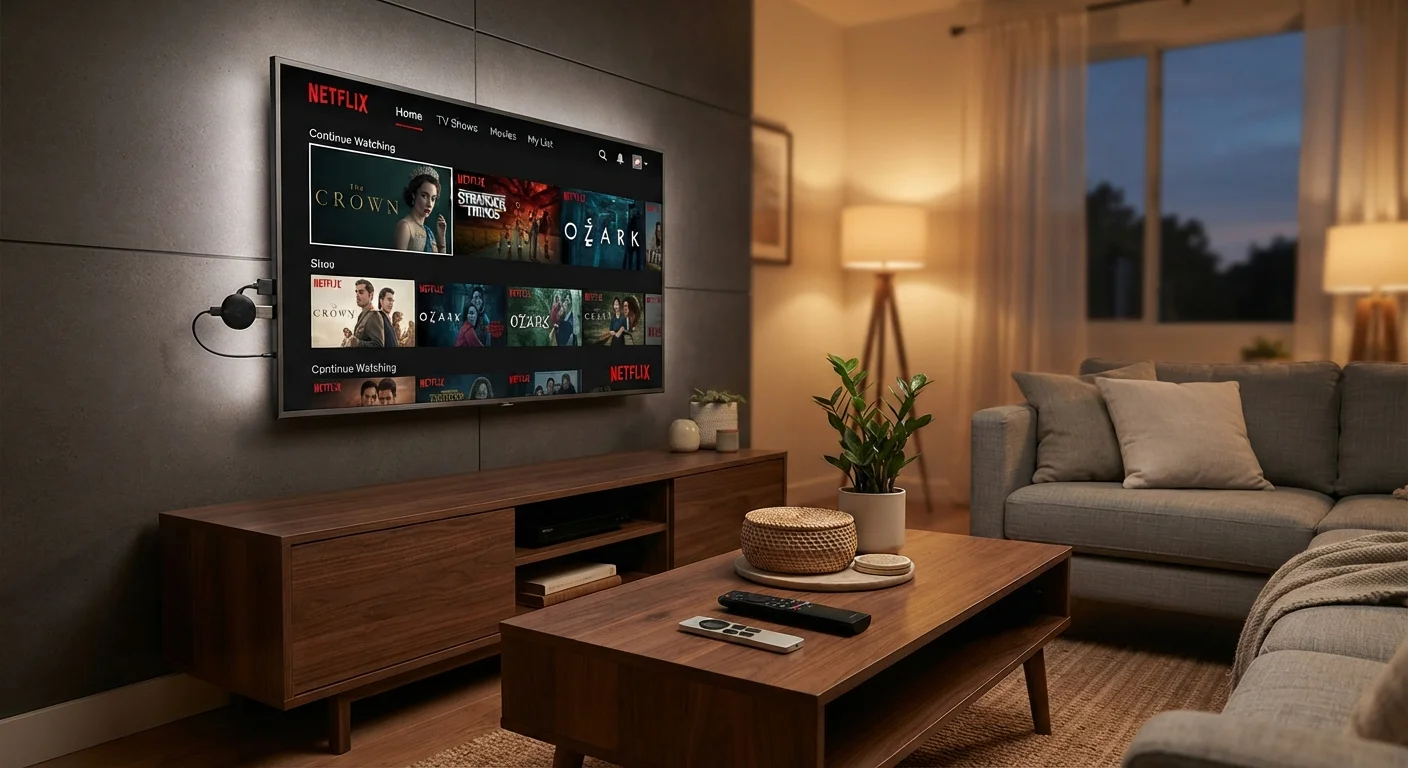
A streaming stick is a thumb-drive-sized dongle that plugs directly into an HDMI port on any TV. It draws power from a USB port on the TV or a wall adapter. The entire processor, storage, and Wi-Fi radio sit inside the stick. Because it is self-contained, it can turn a decade-old "dumb" television into a streaming device in minutes.
A smart TV has all of that hardware built into the television itself. The panel and the streaming computer are one integrated product. You do not need any external device; you just connect to Wi-Fi and log into your accounts.
A set-top box is a small standalone unit, roughly the size of a hockey puck or a small book, that sits near your TV and connects over HDMI. It has more physical space inside than a stick, which lets manufacturers fit larger processors, more RAM, and sometimes a hard drive for local storage.
Cost and hardware lifespan
Streaming sticks generally carry the lowest price. Set-top boxes cost more upfront. Smart TVs bundle the streaming hardware cost into the price of the display, so it is harder to compare directly, but you are not paying separately for the streaming component.
| Streaming stick | Smart TV | Set-top box | |
|---|---|---|---|
| Typical upfront cost | Low (under $50) | Bundled with TV cost | Moderate ($50-$200+) |
| Installation | Plug into HDMI port | No extra device needed | HDMI cable, power supply |
| Processor performance | Modest | Varies by TV price tier | Generally faster |
| Software update lifespan | 3-5 years typical | 4-6 years typical | Often longer |
| Local media playback | Limited | Rare | Common |
| Replaceability | Easy, low cost | Replaces entire TV | Easy, moderate cost |
The lifespan question is where the comparison gets more interesting. Television panels routinely last ten or more years. The streaming software inside a smart TV may stop receiving updates in four to six years, leaving you with a panel that still displays a perfect picture but runs apps that no longer function or buffer constantly. A streaming stick or box, by contrast, costs a fraction of the TV and can be swapped out independently when software support ends. This separation of display from computing hardware is one of the strongest arguments for external devices.
Performance differences that matter day to day
Processor speed and RAM determine how quickly apps launch, how smoothly you can scroll through menus, and whether the device slows down over time as apps grow more complex. Budget streaming sticks tend to have modest chips that can feel sluggish after two or three years of software updates adding overhead. Set-top boxes typically have faster processors and more RAM, which translates to snappier navigation and a longer usable life before performance degrades noticeably.
Smart TV performance varies widely by price tier. A lower-cost smart TV may have weaker internal hardware than a mid-range set-top box, even if the panel quality is solid.
For picture quality itself, your home network connection matters more than the streaming device. Any of the three hardware types will display the same 4K HDR signal if your internet connection is fast enough and stable enough to deliver it. See our guide to wired vs. wireless home internet for more on how your network affects streaming reliability.
Check your network before blaming your device
Buffering and low resolution are almost always caused by a slow or congested Wi-Fi connection, not by the streaming hardware. Before assuming your stick or box needs an upgrade, test your internet speed directly on the device if the platform allows it, or use a separate speed-test app on a phone near the TV. A consistent connection above 25 Mbps handles 4K streaming reliably for a single stream.
Software ecosystems and content access
Each device category runs its own operating system. Streaming sticks and boxes run platforms such as Roku OS, Fire OS, Android TV, or Google TV, depending on the manufacturer. Smart TVs run proprietary platforms like Tizen, webOS, or VIDAA. All of them give you access to the major streaming services, so the practical content library is essentially the same across devices.
The distinctions show up in interface design, search behavior, and how quickly the platform receives new app versions. Some streaming services release updated app versions to stick and box platforms faster than to smart TV platforms, because the install base on dedicated streaming hardware is larger. This rarely causes major problems, but it can mean a new feature appears on a stick months before it appears on a built-in smart TV app.
Voice search and smart home integration also differ by platform. If you already use a particular voice assistant ecosystem, check whether your preferred device supports it natively before purchasing. Understanding the spec details on your television display itself can help you evaluate the full picture; our breakdown of TV spec sheet numbers explains what the display specifications actually affect.
When to choose each option
If you own a working TV that lacks streaming capability, a streaming stick is the practical choice. It costs little, installs in minutes, and can be moved to a different TV or taken on travel.
If you are buying a new television anyway, a smart TV removes one device from your setup. The tradeoff is that you become reliant on the manufacturer's software update schedule. If software longevity concerns you, buying a display without built-in smarts and pairing it with a set-top box keeps your options open.
A set-top box makes sense if you play local media files from a hard drive, want the fastest possible interface, or have had streaming sticks slow down on you faster than expected. The higher upfront cost can be justified by a longer software support window and better sustained performance.
One scenario that favors sticks specifically is a household with multiple TVs. Equipping a bedroom or guest room TV costs far less with a stick than with a set-top box, and the content experience is nearly identical for casual viewing.